前言
是的,你没看错,本站再次更换了评论系统。
Fuwari主题本是原生支持Twikoo评论系统的,但是Twikoo的官方前端文件在Fuwari上会出现点击“点赞”或“回复”按钮会自动跳到页面顶部的问题。就像这样:
(图片待补档)
这个问题出现的原因,是官方的Twikoo JavaScript文件中使用了带 href="#" 的 <a> 标签。SSR(Astro)在前端脚本未完成水合前,点击这种链接会触发默认导航行为,导致页面跳到顶部。
要解决这个问题,非常简单,只需要将内部操作链接的 href 从 "#" 改成 "javascript:void(0)" 即可在保留原样式和功能的情况下,使其点击后不再滚动到页面顶部。
环境准备
这里仅公示我进行此次操作时的软件环境,仅供参考。
- 系统:Windows 11 LTSC 24H2 (26100.1742)
- Node JS 版本:v24.10.0
- Git 环境 / Github Desktop
修改过程
整体分为 Fork 仓库、修改代码和编译代码三个步骤。
Fork仓库
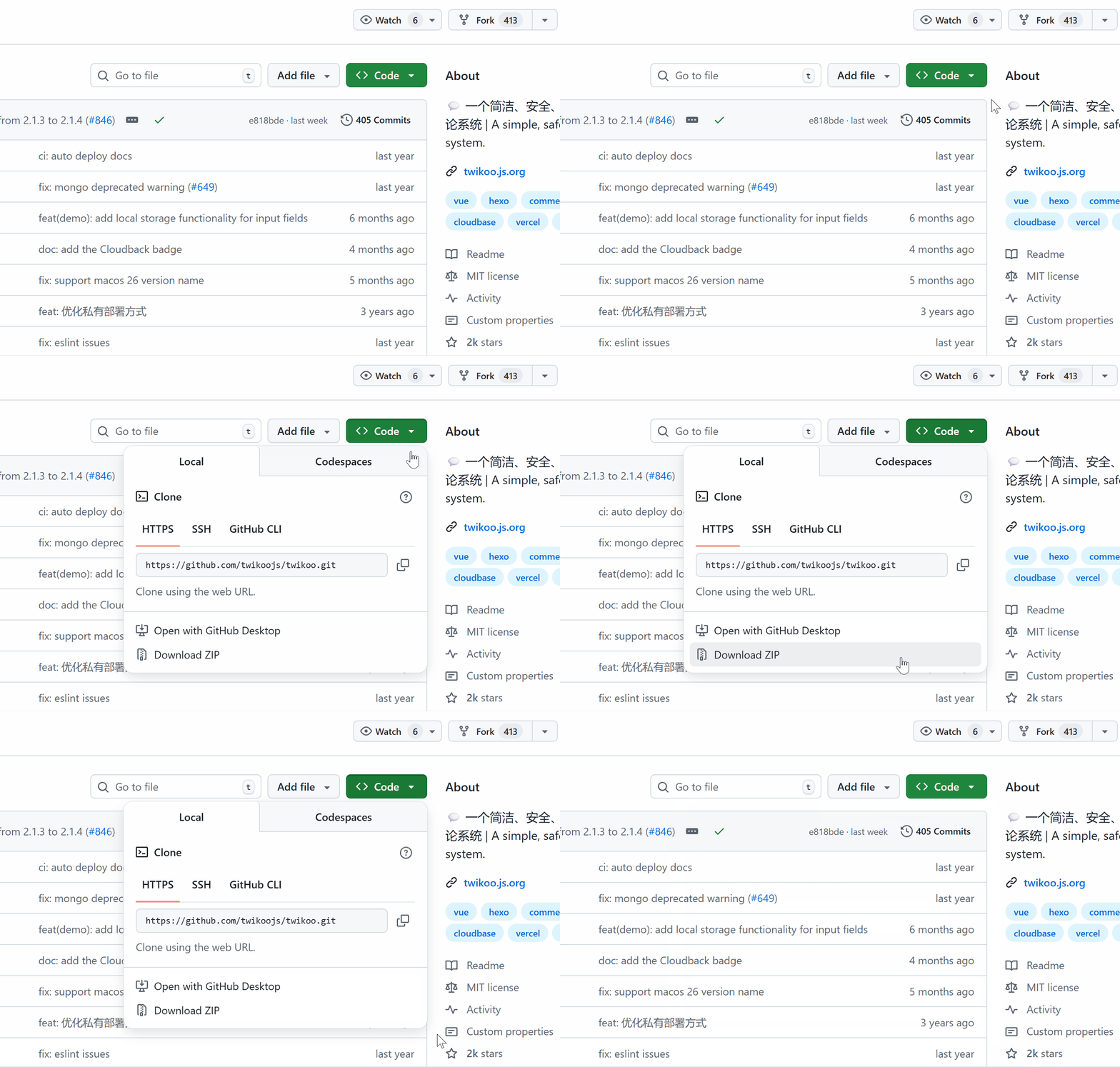
如果你的电脑上装有 Git,则只需将Twikoo仓库Fork到你的账号下,再在终端中执行:
git clone https://github.com/你的用户名/twikoo.git这样你就拿到了Twikoo的源代码。
如果你没有Git,你也可以直接从Twikoo仓库以.zip文件的形式下载源代码。
修改代码
/src/client/view/components/TkAction.vue
将第3行代码替换为:
<a
  class="tk-action-link"
  :class="{ 'tk-liked': liked }"
  href="javascript:void(0)"
  @click="onLike"
></a>
将第8行代码替换为:
<a class="tk-action-link" href="javascript:void(0)" @click="onReply"></a>/src/client/view/components/TkComment.vue
将第22~25行代码替换为:
<a href="javascript:void(0)" v-if="comment.isSpam" @click="handleSpam(false, $event)"
  >{{ t('ADMIN_COMMENT_SHOW') }}</a
>
<a href="javascript:void(0)" v-if="!comment.isSpam" @click="handleSpam(true, $event)"
  >{{ t('ADMIN_COMMENT_HIDE') }}</a
>
<a href="javascript:void(0)" v-if="!comment.rid && comment.top" @click="handleTop(false, $event)"
  >{{ t('ADMIN_COMMENT_UNTOP') }}</a
>
<a href="javascript:void(0)" v-if="!comment.rid && !comment.top" @click="handleTop(true, $event)"
  >{{ t('ADMIN_COMMENT_TOP') }}</a
>
编译
首先在项目根目录下打开终端,运行npm install
这里我使用的是NodeJS v24.10.0,在运行npm install时遇到了报错,信息如下:
PS C:\Users\RiseForever\Desktop\twikoo> npm install
npm error code ERESOLVE
npm error ERESOLVE unable to resolve dependency tree
npm error
npm error While resolving: twikoo@1.6.44
npm error Found: eslint@8.56.0
npm error node_modules/eslint
npm error   dev eslint@"^8.2.0" from the root project
npm error
npm error Could not resolve dependency:
npm error peer eslint@"^7.12.1" from eslint-config-standard@16.0.3
npm error node_modules/eslint-config-standard
npm error   dev eslint-config-standard@"^16.0.3" from the root project
npm error
npm error Fix the upstream dependency conflict, or retry
npm error this command with --force or --legacy-peer-deps
npm error to accept an incorrect (and potentially broken) dependency resolution.
npm error
npm error
npm error For a full report see:
npm error C:\Users\RiseForever\AppData\Local\npm-cache\_logs\2025-11-05T11_16_35_379Z-eresolve-report.txt
npm error A complete log of this run can be found in: C:\Users\RiseForever\AppData\Local\npm-cache\_logs\2025-11-05T11_16_35_379Z-debug-0.log
PS C:\Users\RiseForever\Desktop\twikoo> npm run build

> twikoo@1.6.44 build
> cross-env NODE_ENV=production webpack --mode production

'cross-env' 不是内部或外部命令,也不是可运行的程序或批处理文件。
我询问了AI,Ta给出的解答是:
这是 npm 7+ 的 peer 依赖冲突(eslint 版本不匹配)导致安装中断,进而没有装上 cross-env。
先尝试使用兼容模式进行安装——
npm install --legacy-peer-deps若兼容模式仍安装失败,则可以通过
npm install --force进行安装。
我利用第三种方式,成功安装。
安装完成后,直接在终端中输入npm run build,程序便会自动开始编译。
以我4代i5的性能,编译时长大概是2分钟。
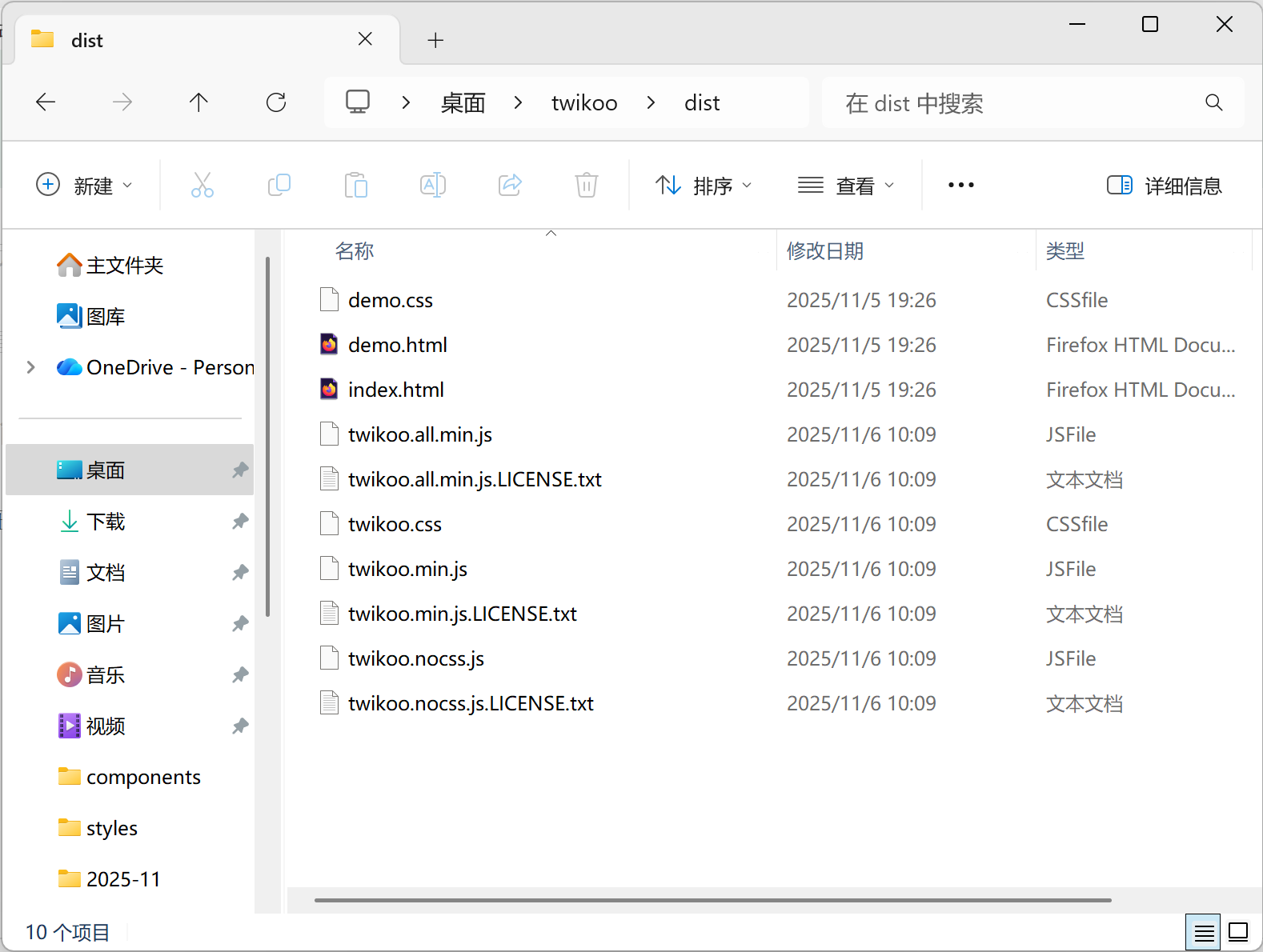
编译完成后,在项目目录下的/dist/文件夹里即可看到成品。
这次再在Fuwari中引用Twikoo,评论区就不会出现乱跳的现象了。
Enjoy it!
我就说想评论发现系统不用登GitHub了(ノ °ο°) ノ
欧,试试这个先进的系统
OωO
编译是很快,秒编译完。到是npm install安了好几分钟
牛逼啊大佬,成功解决了!